Passport Photo Size Guide for USA, UK, Europe & Australia (2026)
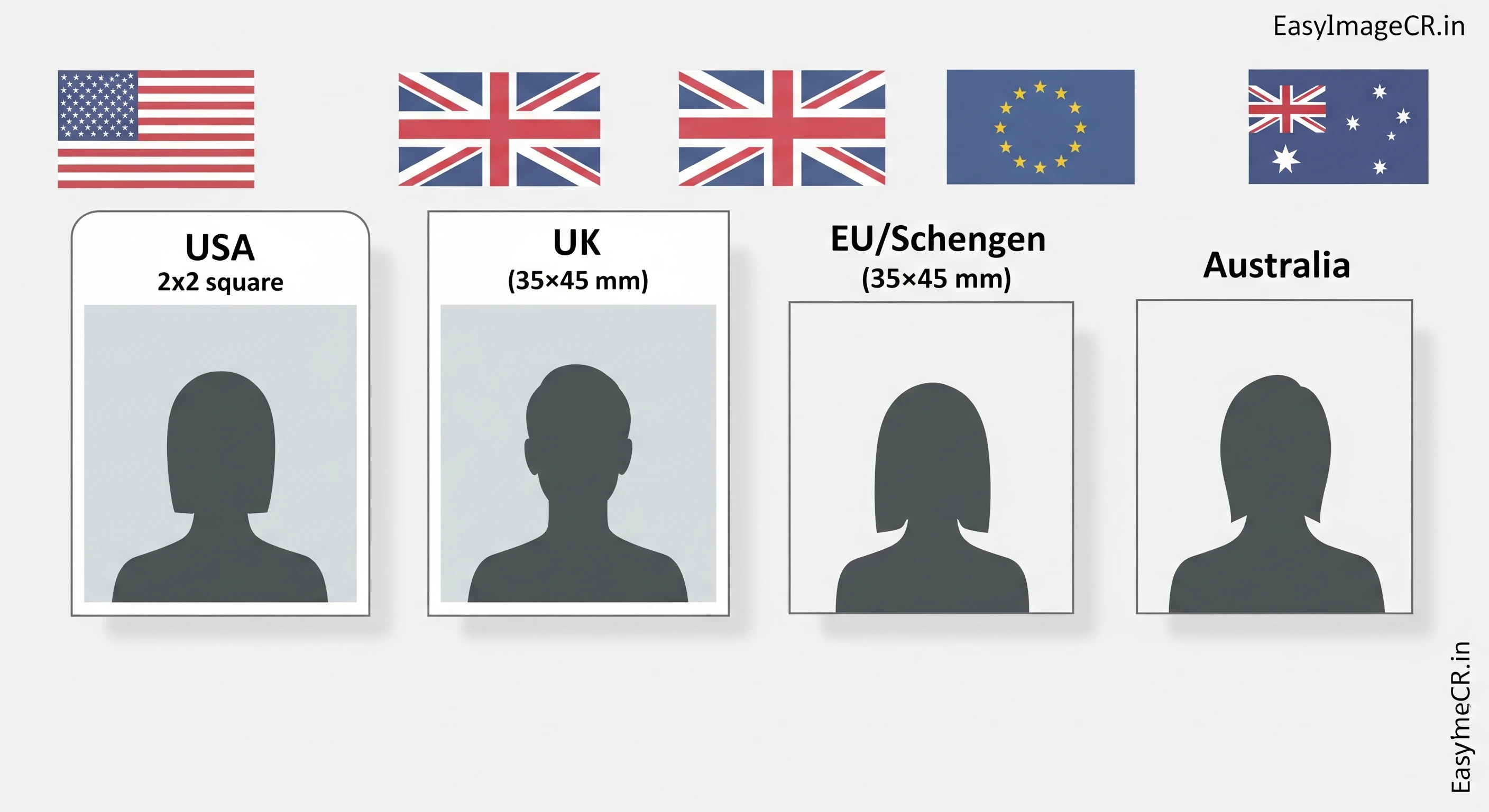
Summary: Every country has different rules for passport and visa photos. The USA uses a 2-inch square, while Europe uses a 35mm rectangle. This guide gives you the exact specs for 2026 and shows you how to resize your own photo to save money on professional studios.
Getting a visa or renewing a passport is stressful enough without worrying about your photo being rejected. Yet, "Incorrect Photo Size" is one of the most common reasons for delays.
You don't need to pay $15 or £10 at a photo booth. You can take a photo with your phone against a white wall and resize it yourself perfectly for free. Here are the exact requirements for the most popular destinations.
1. USA (United States) Visa & Passport
The US is unique because it requires a square photo.
- Dimensions: 2 x 2 inches (51 x 51 mm).
- Digital Size: Minimum 600 x 600 pixels. Maximum 1200 x 1200 pixels.
- File Size: Less than 240 KB.
- Background: Plain white or off-white.
- Glasses: NOT allowed (This rule changed in 2016).
How to Resize: Use our tool's 1:1 Crop button to make it square, then set Width to 600px.
2. United Kingdom (UK) Passport
The UK uses the standard "European" size, but their online checker is very strict about file size.
- Dimensions: 35mm width x 45mm height.
- Digital Size: At least 600 pixels wide x 750 pixels high.
- File Size: Between 50KB and 10MB.
- Background: Light grey or cream (NOT pure white).
- Expression: Neutral, mouth closed, no smiling.
3. Schengen Visa (Europe)
If you are visiting France, Germany, Italy, Spain, or any Schengen country, you need the standard biometric format.
- Dimensions: 35mm width x 45mm height.
- Face Size: Your head must cover 70-80% of the photo height (32-36mm).
- Background: Light grey.
4. Australia & New Zealand
Similar to the UK/EU standard but with specific width ranges.
- Dimensions: 35mm to 40mm width x 45mm to 50mm height.
- Digital Size: Ideally 1200 x 1500 pixels for high quality.
✅ Universal Workflow: How to DIY Your Passport Photo
Step 1: Take the Photo
Stand 1 meter away from a white or light-grey wall. Have a friend take the photo (no selfies!). Leave plenty of space above your head.
Step 2: Crop the Ratio
Upload to EasyImageCR.in.
- For USA: Select the 1:1 crop button.
- For UK/EU: Select the 3:4 crop button (this is the closest match to 35:45).
Step 3: Resize & Compress
- Width: Type 600 (for US) or 900 (for high-res UK/EU).
- Format: Select JPEG (required by almost all governments).
- File Size: Use "Target Size (KB)" and set it to 200 to be safe for all portals.
Step 4: Download
Click "Resize & Download". You now have a digital file ready for online submission.
Can I Print This at Home?
Yes. If you need physical photos, don't print a single small image in the middle of a page. Create a "4x6 inch" canvas in a tool like Canva, place 4 copies of your resized photo on it, and print that 4x6 sheet at a local pharmacy or home printer. It saves you about $14 per set!
⬅ Back to Blogs