YouTube Title A/B Testing: Stop Guessing, Start Growing
For years, YouTubers have had to guess which title would get the most views. Should it be "My Morning Routine" or "How I Wake Up at 5 AM"? Usually, we picked one, crossed our fingers, and maybe changed it an hour later if views were low.
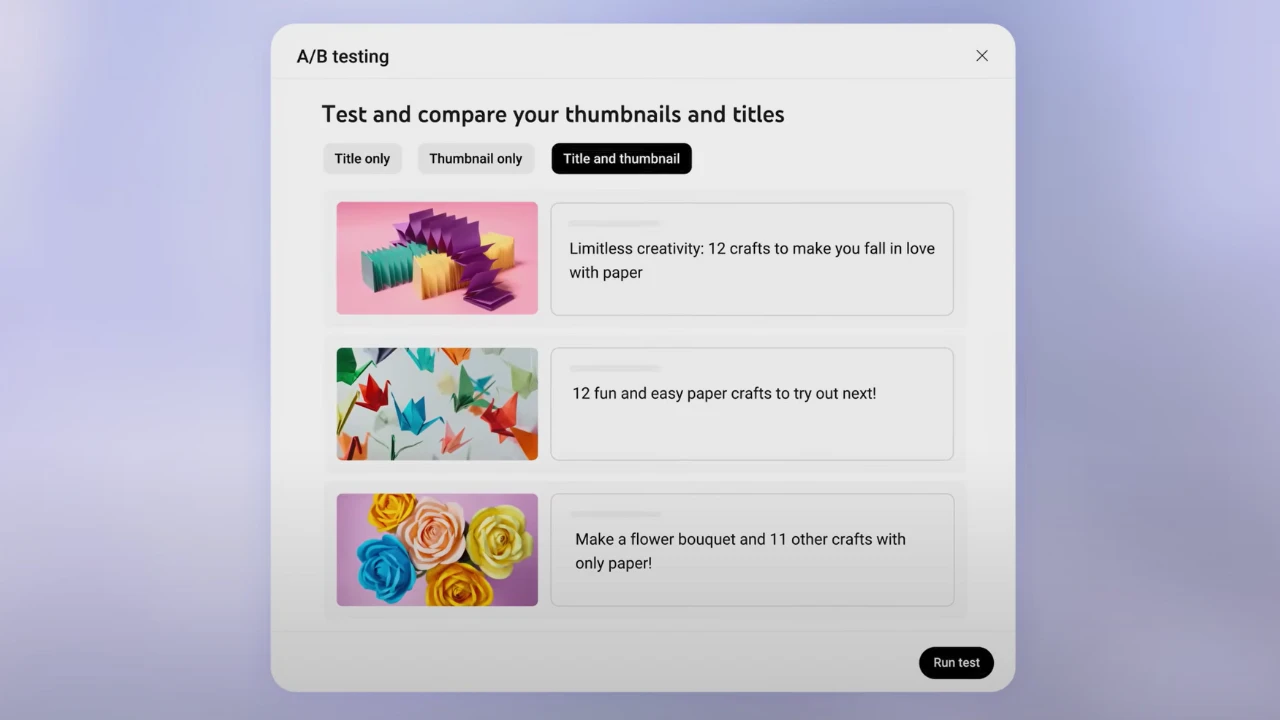
That era is over. YouTube has officially rolled out "Title A/B Testing" globally. According to the Official YouTube Help Center, this tool allows you to scientifically test up to three different titles and let YouTube's algorithm decide the winner.
What is Title A/B Testing?
This feature (part of the "Test & Compare" suite) allows you to upload multiple variations of your video's metadata. YouTube will show different titles to different groups of viewers simultaneously.
- Test Capacity: You can test up to 3 titles at once.
- Duration: The test runs for up to 2 weeks (or until a clear winner is found).
- The Judge: YouTube automatically picks the winner and applies it to your video permanently.
⚠️ The Golden Rule: Watch Time > Clicks
Unlike third-party tools (like TubeBuddy) that often focus on Click-Through Rate (CTR), YouTube's native tool determines the winner based on Watch Time.
Why? YouTube wants to prevent clickbait. A title might get a million clicks (High CTR), but if everyone leaves after 10 seconds (Low Watch Time), YouTube considers that a "bad" title. The winning title is the one that gets people to click and stay.
How to Use It (Step-by-Step)
If you have "Advanced Features" enabled on your channel, you can start testing today on Desktop:
- Go to YouTube Studio on your computer.
- Upload a new video or select an existing one.
- Scroll down to the Thumbnail section (yes, the title test is hidden here!).
- Click the three dots (options menu) on your thumbnail.
- Select "Test & Compare".
- You can now enter up to 3 Titles and upload up to 3 Thumbnails to test them in combination.
Best Practices for Winning Titles
Don't just test small typos. To get useful data, test distinctly different angles:
- The "How-To" Angle: "How to Edit Photos Fast"
- The "Mystery" Angle: "The Secret to 5-Minute Editing"
- The "Negative" Angle: "Stop Wasting Time Editing Photos"
If your results come back as "Inconclusive" or "Performed Same", it means your variations were too similar, or the video didn't get enough traffic to generate data.
Don't Forget the Thumbnail! (The "Other Half" of the Click)
A perfect title will fail if your thumbnail is blurry, cropped, or the wrong size. Since you are already in the "Test & Compare" menu, you should be A/B testing your thumbnails too.
🚀 Perfect Your Thumbnails with EasyImageCR
Before you upload your thumbnail variations for testing, make sure they meet YouTube's strict technical standards:
- Resolution: Exactly 1280x720 pixels.
- Size: Under 2MB.
- Format: JPG or PNG (High Quality).
You can use our free Easy Image Converter & Resizer to crop your images to the perfect 16:9 ratio and compress them under 2MB instantly—without uploading your files to a server.
Summary
YouTube's Title A/B testing is a game-changer because it removes human bias. Instead of "feeling" like a title is good, you have data to prove it. Combined with high-quality thumbnails resized on EasyImageCR, you have everything you need to maximize your views in 2025.
⬅ Back to Blogs